

WiFi Password Strength Checker
A strong WiFi password helps protect your internet connection from hackers, unknown users, and online security problems daily. Weak passwords make it easier for strangers to access private data, slow internet speeds, and connected smart devices.
A WiFi Password Strength Checker helps users test password security quickly before using it on routers or wireless networks. This tool checks password length, symbols, numbers, and overall protection level for better online safety and stronger internet security.
WiFi Password Strength Checker
Enter your WiFi password and check its security strength instantly.
Start typing your password
What Is a WiFi Password Strength Checker?
A WiFi Password Strength Checker is an online tool that analyzes how strong or weak a wireless network password is. It helps users create secure passwords that are harder for hackers or unauthorized people to guess easily.
The tool checks important security factors like password length, uppercase letters, lowercase letters, symbols, and numbers. Users can improve weak passwords instantly and create safer WiFi security settings for home routers, office networks, and public internet connections.
Why Strong WiFi Passwords Matter for Online Security
Strong WiFi passwords protect personal data, connected devices, and internet activity from unauthorized users and hackers daily.
- Strong passwords reduce hacking risks and protect important online personal information safely.
- Secure WiFi passwords prevent strangers from using internet bandwidth without permission regularly.
- Better passwords improve router security against cyberattacks and wireless network access attempts.
- Strong router passwords help protect smart devices connected through home wireless networks.
- Secure internet connections lower risks of data theft, spying, and online privacy problems.
- Powerful passwords keep online banking, streaming, and personal browsing activities safer daily.
Common Weak WiFi Password Mistakes Users Should Avoid
| Weak Password Mistake | Why It Is Unsafe |
|---|---|
| Using simple numbers like 12345678 | Easy for hackers to guess within seconds |
| Keeping default router passwords unchanged | Default passwords are publicly available online |
| Using personal names in passwords | Personal details are easier for others to predict |
| Creating very short passwords | Short passwords are easier to crack quickly |
| Reusing old passwords everywhere | One leaked password can affect multiple accounts |
| Avoiding symbols and special characters | Simple passwords provide weaker wireless security |
| Using only lowercase letters | Password strength becomes weaker and predictable |
| Sharing WiFi passwords with many people | More users increase security and privacy risks |
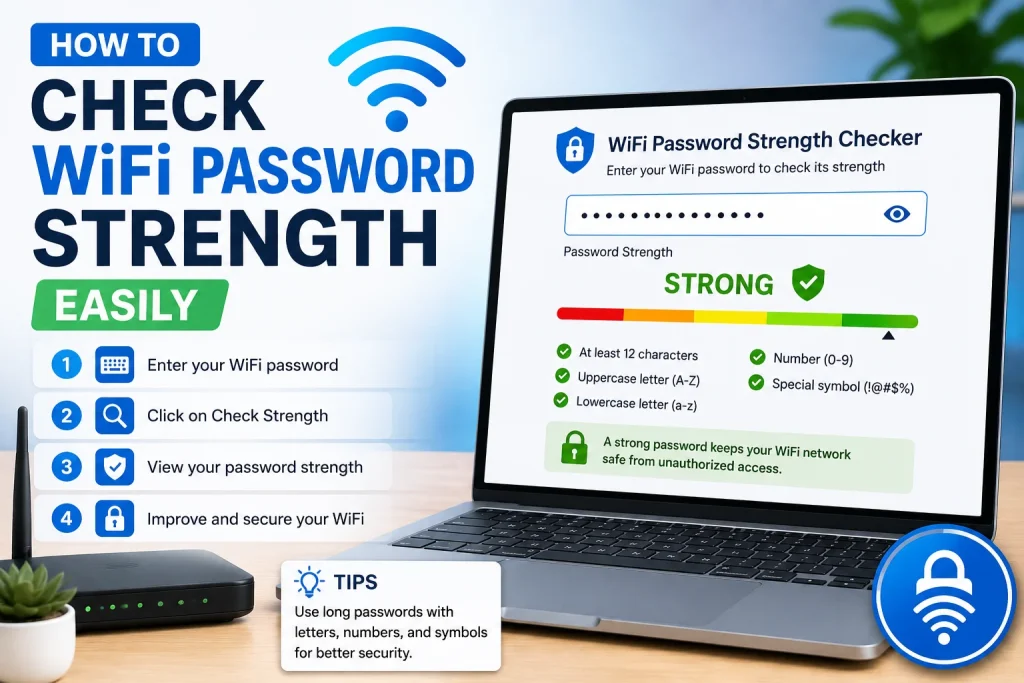
How To Check WiFi Password Strength Easily
Checking WiFi password strength helps users improve wireless security and protect internet connections from hacking attempts easily.
- Enter your WiFi password carefully inside the password strength checker tool safely.
- Check whether your password contains uppercase letters, numbers, and special symbols properly.
- Avoid using short passwords because weaker passwords are hacked much faster online daily.
- Use longer passwords containing random words for stronger wireless network security protection always.
- Review password strength results before saving new router security settings on your device.
- Update weak passwords immediately after checking security score through online password checking tools.
Best Tips To Create a Strong and Secure WiFi Password
Strong WiFi passwords improve router security and help protect personal internet connections from unauthorized network access daily.
- Create passwords using uppercase letters, lowercase letters, symbols, and random numbers together safely.
- Avoid using birthdays, names, phone numbers, or simple personal information inside passwords always.
- Use passwords longer than twelve characters for stronger wireless network security protection daily.
- Change router passwords regularly to improve internet safety and reduce hacking risks online.
- Save secure passwords inside trusted password manager applications for easier future access safely.
- Never share private WiFi passwords publicly with unknown people or unsecured online platforms.
Features of a Good WiFi Password Strength Checker Tool
A good password checker tool helps users test WiFi security quickly using simple and user-friendly checking features.
- Instantly analyzes password strength levels using advanced wireless security checking systems accurately online.
- Detects weak passwords containing common words, numbers, or predictable keyboard combinations quickly.
- Suggests stronger password improvements for better router and wireless network protection instantly online.
- Supports checking passwords safely without storing private router security information on servers.
- Shows easy password strength ratings helping beginners understand wireless security protection levels clearly.
- Works smoothly on mobile phones, tablets, desktops, and modern internet browsers without problems.
Frequently Asked Questions
Many users have questions about creating secure WiFi passwords and protecting wireless internet connections from online security risks daily.
How long should a strong WiFi password be?
A strong WiFi password should contain at least twelve characters with letters, numbers, and symbols together. Longer passwords provide better protection against hacking attempts and unauthorized wireless network access online.
Can weak WiFi passwords slow internet performance?
Yes, weak WiFi passwords allow unknown users to connect without permission and consume internet bandwidth. This can reduce internet speed and affect streaming, gaming, browsing, and other online activities daily.
How often should users change WiFi passwords?
Users should change WiFi passwords every few months for better wireless security and online protection. Regular password updates reduce hacking risks and help keep internet connections safer from unauthorized access attempts.
Are password strength checker tools safe to use?
Trusted password strength checker tools analyze passwords without saving private information online. Users should always choose reliable tools that respect privacy and provide secure password checking features safely.
Why should users avoid default router passwords?
Default router passwords are publicly available online and easily accessible by hackers. Changing default login credentials improves router security and helps protect personal internet connections from unauthorized access attempts.
Can special symbols improve WiFi password security?
Yes, adding special symbols and random numbers makes passwords harder to guess or crack. Strong combinations improve wireless network protection and provide better online security for connected devices and internet activities.
Final Thoughts
A strong WiFi password is important for protecting internet connections, personal information, and connected devices from online security threats. Weak passwords can allow unauthorized users to access networks, reduce internet speed, and create privacy risks daily. A WiFi Password Strength Checker helps users test password security quickly and improve weak passwords easily. By using longer passwords with symbols, numbers, and mixed letters, users can create safer wireless networks for homes and offices. Simple security habits like changing passwords regularly and avoiding common words can greatly improve online safety and router protection over time.